Porn Blocker Chrome Extension
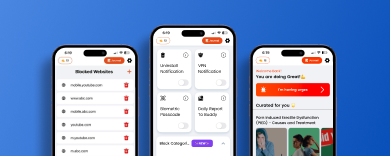
A chrome extension that ensure your browsing experience is seamless and distraction free. Helps you avoid porn and distractions while you are focusing.
AS FEATURED IN 🚀




Free Features

Porn Blocker
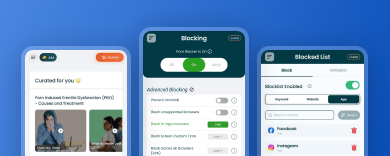
Block all porn websites in one click.

Add Buddy
You will need the permissions of your buddy to disable the blocker.

Block 5 Websites & Keywords
You want to block a specific website or keyword? Add it and it will get blocked.
Premium Features
Block Unlimited Keywords & Websites
Block unlimited websites & keywords.

Uninstall Notification
When turned on your buddy will get notified via email that you tried to uninstall the app.

Set a Custom Message & URL
Set a custom message on your block screen. And add redirect url of your choice.
Hear it from our users
Our users love us
Juan El Bean


A fantastic app. Like most good habit changing apps, it takes away the need for willpower to achieve the goal. Highly recommended.”
Ian Tighe
A fantastic app. Like most good habit changing apps, it takes away the need for willpower to achieve the goal. Highly recommended.”
Anonymous
A fantastic app. Like most good habit changing apps, it takes away the need for willpower to achieve the goal. Highly recommended.”
Get BlockerX Premium
Commit to your Recovery
Annual Plan
$109.96
Billed $239.64 $109.96 every year
- Accountability Partner
- Uninstall Protection on Android
- Uninstall notifications on iOS
- Access to Community
- Auto-Syncing
- No Ads
Supported on


Renews automatically, unless cancelled
Best Value
Lifetime Plan
$129.82
One time payment of $479.28 $129.82
- 3 day money-back guarantee
- Accountability Partner
- Uninstall Protection on Android
- Uninstall notification on iOS
- Access to Community
- No Ads
- Auto-Syncing
Supported on
3 Day Money-back Guarantee
How to Block Porn Using BlockerX Chrome Extension
To block pornographic content using the BlockerX Chrome extension, follow these steps:
- Click on the Get it Now Button on this Page.
- Make Payment.
- You’ll get a download link on your registered mail ID.
- Add the extension to Chrome: Click the BlockerX extension and click the “Add to Chrome” button. Confirm any prompts or permissions that appear during the installation process.
- Configure BlockerX settings: Once the extension is added, you can access its settings by clicking on the BlockerX icon that appears in your Chrome browser toolbar.
- Enable porn blocking: In the BlockerX settings, look for the option to block pornographic content or explicit websites. Enable this feature to activate the porn-blocking functionality of the extension.
- Customize additional settings: Depending on the BlockerX extension’s features, you may have the option to customize settings such as whitelisting specific websites, setting up password protection, or adding additional filters or blocklists.
- Save your settings: After customizing the settings to your preferences, click on the “Save” or “Apply” button to save your changes.
- Test the blocking feature: Open a new tab or visit a known explicit website to see if the BlockerX extension successfully blocks the content. You should see a blocked page or a message indicating the website is restricted.
What does Porn Blocker chrome extension do?
Blocks access to porn websites, helping you avoid explicit content and improve browsing focus.
What happens when I try to access a blocked site?
The blockerx chrme extension will block access entirely.